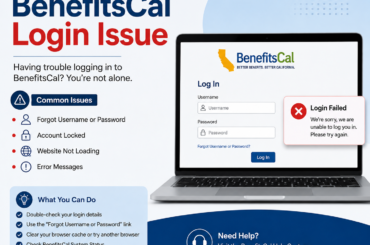
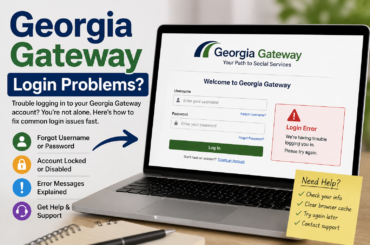
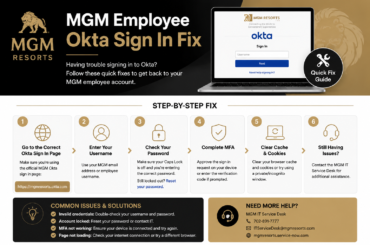
Unemployment Login Not Working can be incredibly frustrating when you need to file a claim or access your benefits. You just lost your job. You need money. You go to file your unemployment claim, and the login page won’t load.
Or it loads, then freezes. Or it spins forever and kicks you back to square one. When every day matters, login problems can feel overwhelming, but several common causes and fixes can help you regain access quickly.
Sound familiar? You are not alone. Unemployment login issues are reported by thousands of claimants every single week. The good news is that most of these problems can be fixed in minutes once you know where to look.
This guide walks you through every common reason your unemployment login is not working, and exactly what to do about each one.
Why Unemployment Portals Are Notoriously Buggy
Before diving into fixes, it helps to understand why these sites break so often. Most state unemployment systems were built decades ago. Many run on outdated infrastructure that wasn’t designed for the traffic volumes seen today.
During periods of high unemployment, like after major layoffs or economic downturns, these portals get slammed with users. Servers get overwhelmed, pages time out, and accounts get locked. It’s frustrating, but it’s a known problem with a known set of solutions.
Additionally, security updates are rolled out frequently on government portals. Sometimes those updates change login requirements without much notice to users.
Common Reasons Your Unemployment Login Is Not Working
Let’s break down the most frequent culprits. Knowing the cause makes the fix much faster.
1. Wrong Username or Password
This sounds obvious, but it trips up more people than you’d think. Unemployment portals often have strict password rules, including uppercase letters, symbols, and a minimum number of characters. Your saved password may have become outdated after a required reset.
Try typing your credentials manually instead of relying on autofill. Autofill can sometimes pull in old or incorrect data, especially if you’ve changed your password recently.
2. Account Lockout After Too Many Attempts
Most unemployment systems lock your account after three to five failed login attempts. This is a security feature, not a glitch. If your account has been locked, a reset link is usually sent to your registered email address.
Check your spam folder too; automated emails from government portals are often filtered as junk. If you don’t see the reset email within ten minutes, request it again.
3. Browser Compatibility Issues
Government websites are notoriously picky about browsers. Internet Explorer compatibility was built into many of these systems years ago, and modern browsers sometimes struggle with old code.
Try switching to Google Chrome or Mozilla Firefox if you’re currently using Safari or Edge. Clear your cache and cookies before attempting to log in again. You’d be surprised how often this alone solves the problem.
4. System Maintenance or Outages
State unemployment websites go down for scheduled maintenance, often late at night or on weekends. However, some states don’t always post visible notices about these windows.
Before spending an hour troubleshooting your own device, check your state’s official social media accounts or a third-party outage tracker like DownDetector. If the site is down for everyone, there’s nothing to fix on your end. Just wait it out.
5. Expired Session or Timeout
Unemployment portals have short session windows for security reasons. If you opened the login page and walked away for ten minutes, your session may have expired. The page might appear to still be active, but it’s actually been timed out on the backend.
Close the tab entirely. Open a fresh browser window and try again. Don’t use the back button; this is a common mistake that leads to confusing error messages.
Step-by-Step Fix: How to Get Back Into Your Account
Here is a simple process to follow when your unemployment login is not working. Go through these steps in order before calling the helpline.
Step 1: Confirm You’re on the Right Website
This matters more than most people realize. Dozens of unofficial “helper” sites look like state unemployment portals but aren’t. These sites can steal your information or simply fail to work.
Always navigate directly to your state’s official .gov website. For example, claimants in California should use EDD.ca.gov. New York claimants should use labor.ny.gov. Bookmark the official page so you don’t have to search for it each time.
Step 2: Reset Your Password
Go to the login page and click “Forgot Password” or “Reset Password.” Enter your registered email address. A reset link will be sent to you, usually within a few minutes.
Follow the link, create a new strong password, and write it down somewhere safe. Many people get locked in a reset loop because they forget the new password they just created.
Step 3: Clear Your Browser Cache
Open your browser settings. Find the option to clear browsing data. Select “Cached images and files” and “Cookies and other site data.” Set the time range to “All time” and clear everything.
Then close and reopen your browser before trying to log in again. This step fixes a huge number of login issues that are caused by corrupted stored data.
Step 4: Try a Different Browser or Device
If clearing the cache doesn’t help, try a completely different browser. If you’re on a laptop, try your phone, and vice versa. Sometimes the issue is specific to one device or browser version.
Incognito or Private Mode is also worth trying. It loads the page without any extensions or cached data that might be causing interference.
Step 5: Disable Browser Extensions
Ad blockers, privacy shields, and VPNs can interfere with government login portals. These tools are useful for general browsing, but they sometimes block the scripts that unemployment sites rely on.
Temporarily disable your extensions and try logging in again. If that works, re-enable them one by one to figure out which one was causing the problem.
What to Do If You Still Can’t Log In
You’ve tried everything above and still can’t get in. At this point, the issue is likely on the system side or tied to your specific account in a way that requires human intervention.
Contact Your State’s Unemployment Office Directly
Call the helpline for your state’s unemployment office. Yes, hold times can be long, sometimes several hours. Call early in the morning (right when the office opens) to reduce your wait time. Have your Social Security number, claim number, and email address ready before you call.
When you reach an agent, explain that you’ve already attempted a password reset and cleared your cache. This shows you’ve done your due diligence and helps them skip the basic troubleshooting steps.
Request an In-Person Appointment
Many state unemployment offices allow walk-in visits or scheduled in-person appointments. If your login issue is tied to an identity verification problem or a frozen account, in-person assistance is often the fastest resolution.
Bring two forms of identification, typically a government-issued photo ID and a Social Security card or utility bill with your address.
Use Your State’s Live Chat Feature
Some states now offer live chat support directly on their unemployment portal. This option is frequently overlooked but can be faster than calling. Look for a chat icon in the bottom right corner of the login page.
Live chat agents can often unlock accounts, resend verification emails, and escalate technical issues in real time.
Identity Verification Problems: A Growing Issue
One specific login problem has become increasingly common. Many states now require identity verification through a third-party service before your account is activated. Services like ID.me are used by dozens of states to confirm that claimants are who they say they are.
If your unemployment login is not working and you’ve never completed an ID.me verification, that could be the root cause. Your account may be created but locked behind a verification wall. The verification process requires a government-issued ID and either a selfie or a live video call.
This process has been known to fail for people with glasses, poor lighting, or older ID cards. If the automated process doesn’t work, request a manual review. A human agent can complete your verification manually, it just takes a bit longer.
Mobile App Login Issues
Several states now offer mobile apps for filing unemployment claims. These apps can be convenient, but they come with their own set of login problems.
App Is Outdated
If your app hasn’t been updated recently, it may no longer be compatible with the current version of the portal’s backend. Go to your app store, check for updates, and install the latest version before trying again.
App Cache Needs Clearing
Just like a web browser, mobile apps store cached data that can become corrupted. On Android, go to Settings > Apps > [Unemployment App] > Storage > Clear Cache. On iPhone, the easiest option is to delete and reinstall the app entirely.
Switch to the Website
If the app continues to fail, simply use the mobile browser on your phone instead. Navigate to your state’s official unemployment website. The mobile browser version is often more reliable than the app.
How to Avoid Future Login Problems
Once you’re back in, take a few steps to prevent this from happening again. A little preparation now saves a lot of stress later.
Save your credentials securely: Use a password manager like Bitwarden (free) or 1Password to store your login details. This prevents the autofill errors that cause lockouts.
Keep your email address current: Your registered email is your lifeline for password resets. If you change email providers, update your account immediately.
Log in at off-peak hours: Unemployment portals experience the most traffic on Monday mornings and the day before benefit payments are processed. Logging in on a Tuesday afternoon is almost always faster and smoother.
Screenshot confirmation pages: Any time you file a weekly certification or update your account, take a screenshot. This gives you proof of submission if something goes wrong later.
When the Problem Is Actually a Suspended or Flagged Account
Sometimes a login failure isn’t a technical issue at all. Your account may have been suspended due to suspected fraud, a missed certification week, or an issue flagged by your employer.
If you’re receiving a specific error message like “Account Suspended” or “Contact Your Local Office,” don’t waste time clearing caches. Go straight to calling the helpline or visiting in person.
A flagged account requires human review. No amount of browser tweaking will resolve it. The sooner you contact the office, the sooner your benefits can be reinstated.
Conclusion
Dealing with a broken unemployment login feels defeating, especially when you’re already stressed about finances. But these issues are almost always fixable. The system may be slow and clunky, but your benefits are still there waiting for you.
Work through the steps in this guide systematically. Start with the simple fixes like clearing your cache and resetting your password. If those don’t work, escalate to calling or visiting your state’s unemployment office directly.
Your benefits exist to support you through a difficult time. Don’t let a technical glitch stand between you and what you’re entitled to. Stay persistent, stay calm, and you’ll get back in.